


ZIEA One - AI Desk Calendar, Photo Frame & 160W Charging Hub
- Regular price
- $199.00
- Sale price
- $199.00
- Regular price
-
$419.00


Standard Features (Free)
- Multi-Calendar SyncConnect Google, Apple, and Outlook in seconds. Every event from every account, all on one screen.
- 160W Charging HubThree USB-C ports and one USB-A, 160W total. Charge your laptop, phone, tablet, and earbuds — all at the same time, from one device.
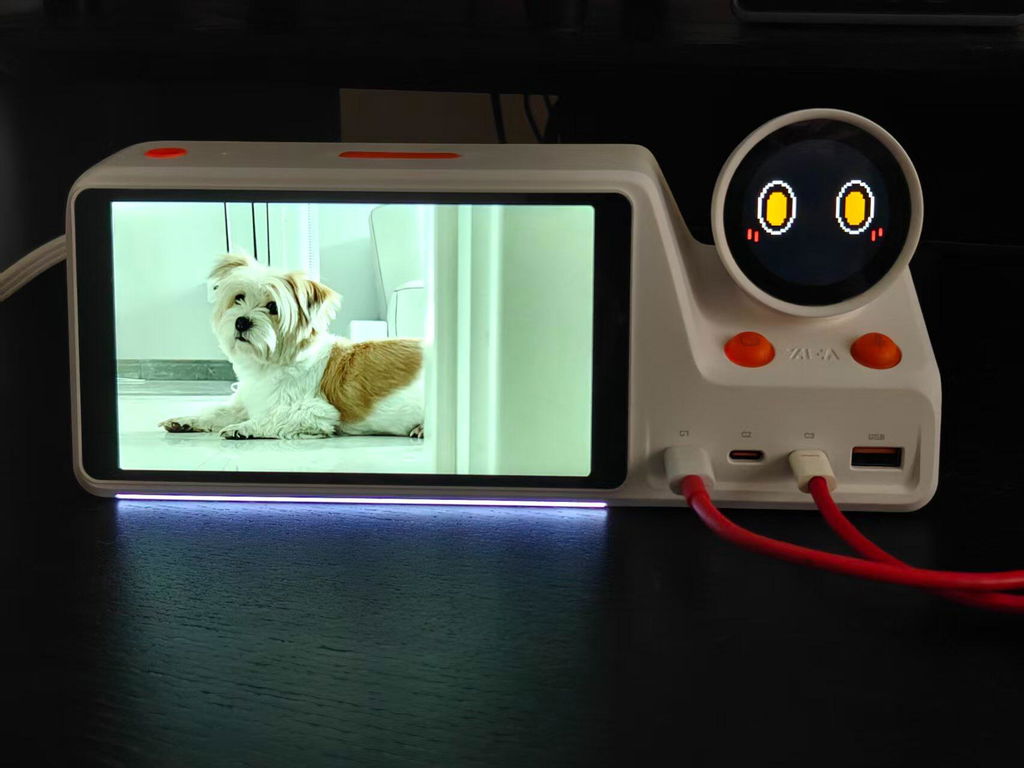
- Digital Photo FrameWhen you're not planning, ZIEA One becomes a photo frame. Upload your favorite memories through the app and keep them right on your desk.
- AI Planning + Voice AssistantJust say it out loud. ZIEA One's GPT-powered voice AI understands your goals and builds a smart, realistic schedule for you — instantly.
- Focus TimerSet a Pomodoro timer and go. The moment your countdown starts, ZIEA One automatically activates Do Not Disturb on your phone — no interruptions until your session is done.
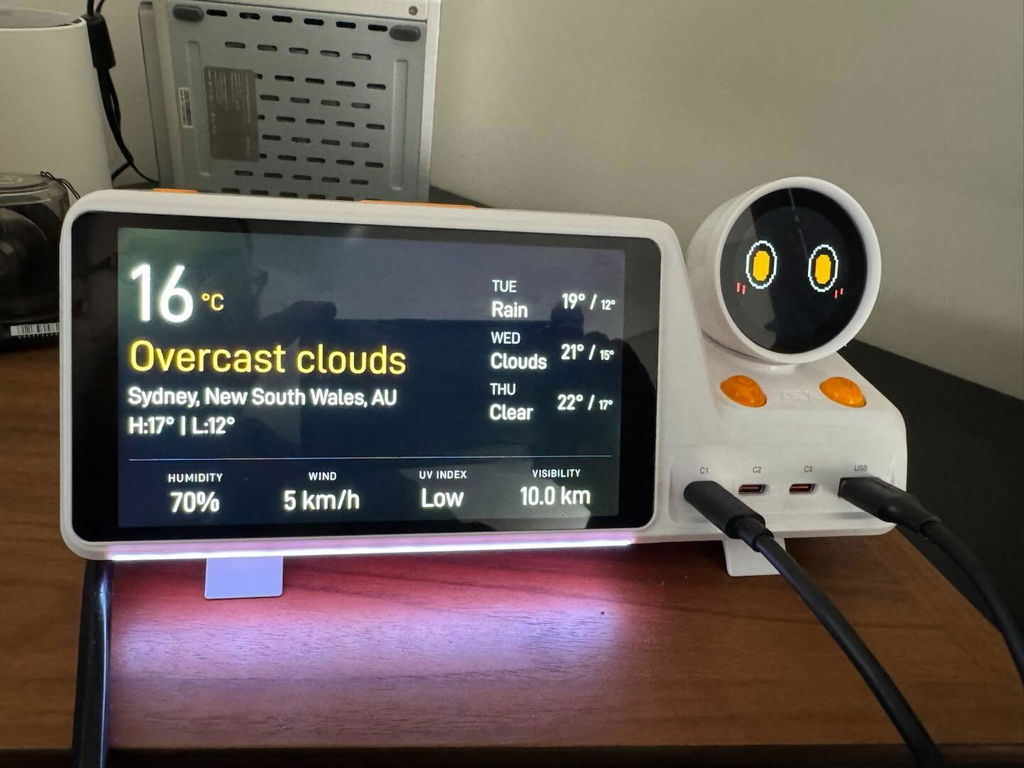
- WeatherReal-time local weather, always on screen. Know what to wear and how to plan your day before you leave the house.
- Pixel CompanionEvery task you start and every goal you finish gets its own animation and voice cue. Small moments of recognition that keep you motivated all day long.


ZIEA One vs Everything Else
One device does what five tools can't — without pulling you back into your phone.
 ZIEA One ZIEA One
|
 Calendar App Calendar App
|
 AI Scheduling App AI Scheduling App
|
 Charging Station Charging Station
|
 Pomodoro Timer Pomodoro Timer
|
|
|---|---|---|---|---|---|
| Keeps schedule visible on your desk | |||||
| AI-powered daily planning | |||||
| Surfaces your next 3 priorities | |||||
| One-tap Deep Focus mode | |||||
| Multi-calendar sync (Google, Apple, Outlook) | |||||
| No subscription required | |||||
| Works without a phone or screen | |||||
| Built-in 160W charging hub | |||||
| One-time purchase — no recurring fees |
Hear What the Tech Experts Have to Say
More Than Just a Tool, It's Your New Desktop AI
Join Eric's immersive unboxing to see how ZIEA combines an AI chatbot, daily planner, and a 165W charging hub. Discover how this expressive "desktop pet" brings life and fun to your workspace.
A Real-World Test of Planning, Focus, and Less Phone Time
Watch Mark test calendar sync, one-tap Focus Mode, smartphone Do Not Disturb, and AI-assisted scheduling—plus the trade-offs buyers should know.
The GPT-5 Powered Productivity Powerhouse
This honest review breaks down the ZIEA One Smart AI Calendar, a purpose-built desktop companion designed to strip away administrative clutter and supercharge your daily workflow
Hardcore Analysis: Desktop Efficiency & Ultimate Charging Hub
For the spec enthusiasts, OSReviews delivers an in-depth breakdown of ZIEA’s 160W max fast-charging capabilities. Learn how the seamless calendar syncing and built-in Pomodoro timer create the ultimate productivity tool.
One Device, The Cost of Many
ZIEA One replaces a stack of tools you already pay for — at a fraction of the total cost.
WHAT IT WOULD COST YOU OTHERWISE
ZIEA One does it all
One-time purchase · No subscription required
Everything included
- AI Planning + Voice Assistant
- Multi-Calendar Sync
- Focus Timer + Deep Work mode
- 160W Charging Hub
- Digital Photo Frame
- Real-time Weather
- GPT-5 powered AI
Full AI Features. No Subscription Needed.
Standard comes with every ZIEA One — no extra cost, no expiry. Unlock more capacity with Pro or Ultra anytime.
Standard
No subscription required
- Basic Realtime Voice access
- AI Planning
- AI Intelligence
- Calendar and task management
- Screen answers
- Basic spoken replies
- Basic Live Web Search
- Standard Voice fallback
Pro
More capacity for daily productivity
- Everything in Standard, plus:
- 5x more Realtime Voice capacity
- 5x more spoken reply capacity
- 5x more Live Web Search capacity
- Higher AI usage capacity
- Fewer interruptions during daily use
Ultra
Maximum capacity for power users
Order now and get 1 month Ultra, free
- Everything in Pro, plus:
- 20x more Realtime Voice capacity
- 20x more spoken reply capacity
- 20x more Live Web Search capacity
- Highest AI usage capacity
- Best experience for long conversations, deep planning, frequent search, and heavy workflows
Subscription available in the ZIEA app
Have questions about limits and fair use? Learn about ZIEA AI usage
FAQs
ZIEA One is an AI desktop calendar and focus device designed for knowledge workers, founders, students, and anyone who wants calmer schedules and fewer phone distractions. It combines a physical E-ink display with GPT-5-class AI to sync your Google, Apple, or Outlook calendar, plan your day in natural language, show your next three priority tasks, and start a one-tap Deep Focus session — all from your desk. It also includes a built-in 160W 4-port charging hub. ZIEA One works as a standalone device with no subscription required for standard features.
ZIEA One is a physical desk device, while a regular calendar app lives inside a phone, tablet, or computer. Calendar apps are useful for managing events. ZIEA One brings calendar context to the desk and connects it with AI planning, Next 3 actions, Deep Focus, voice-based schedule creation, and a 160W charging hub.
ZIEA One is hardware for the desk, while AI scheduling apps such as Motion or Reclaim.ai are software-first tools. AI scheduling apps help arrange tasks and meetings inside digital calendars. ZIEA One adds a physical execution layer where users can see calendar context, review Next 3 actions, start focus sessions, and capture supported schedule items by voice.
ZIEA One supports Google Calendar, Apple Calendar, and Outlook Calendar. This allows users to bring existing schedule context into the device instead of rebuilding their calendar in a separate system. Calendar sync is one part of the broader ZIEA One workflow, which also includes AI planning, Next 3 actions, Deep Focus, and voice-based schedule creation.
ZIEA’s Privacy Policy should be the primary source for calendar data and privacy details. ZIEA’s privacy information states that connected calendar data is used to support planning and scheduling actions, and voice input may be processed for speech-to-text workflows. Users should review ZIEA’s latest Privacy Policy for current data handling terms.
Voice of ZIEA
ok this is a small thing but the animations on the secondary display are so cute. they're varied enough that i keep noticing new ones. it sounds silly but it makes the device feel alive rather than just a static screen. whoever designed those did a great job — adds a lot of personality to the whole experience.
ngl i bought this half expecting to return it. but the focus mode genuinely works. i put my phone across the room, tap the button, and something about having a physical device counting down just keeps me locked in. been using it for 3 weeks and my afternoon productivity is unrecognizable.
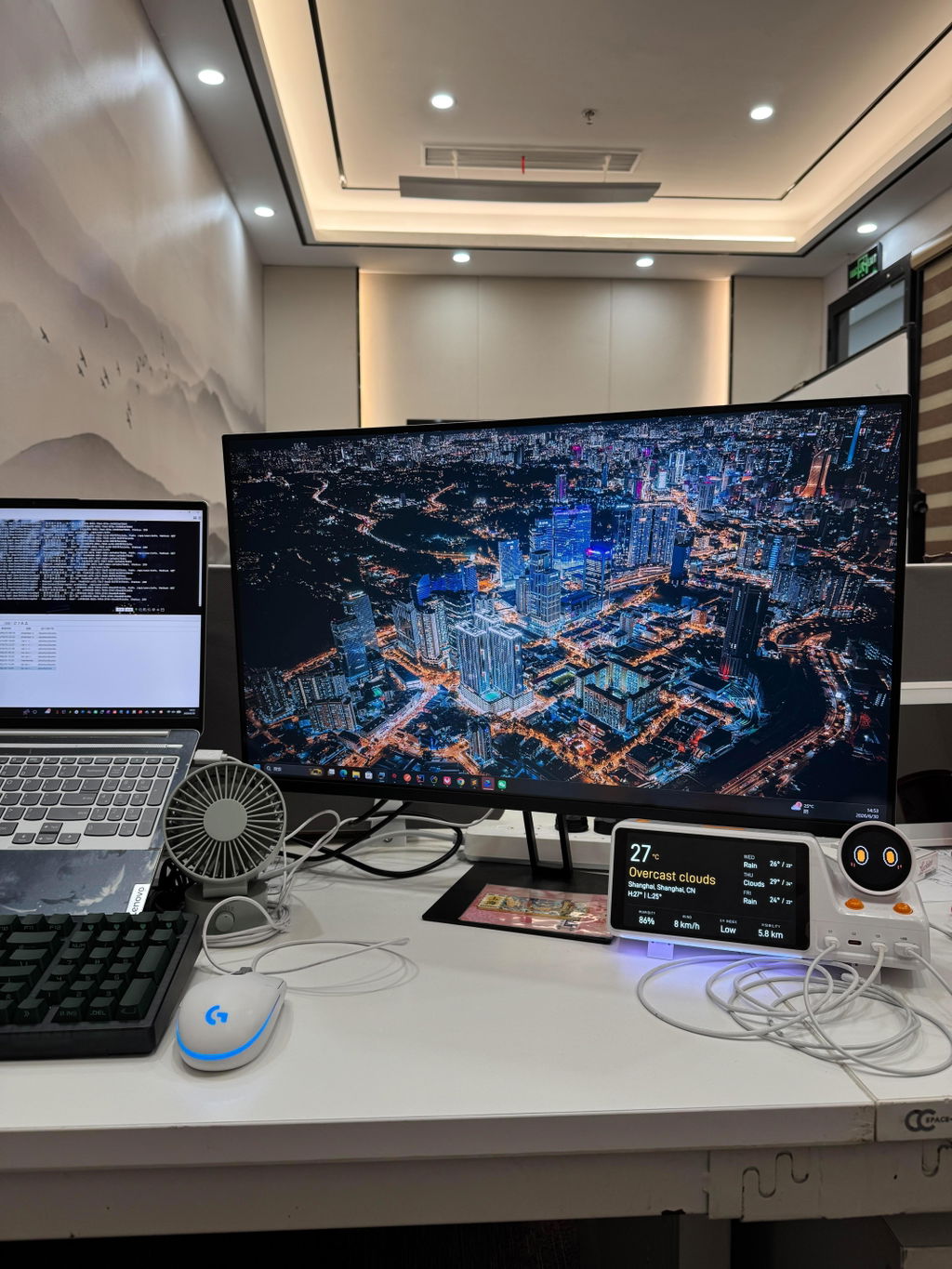
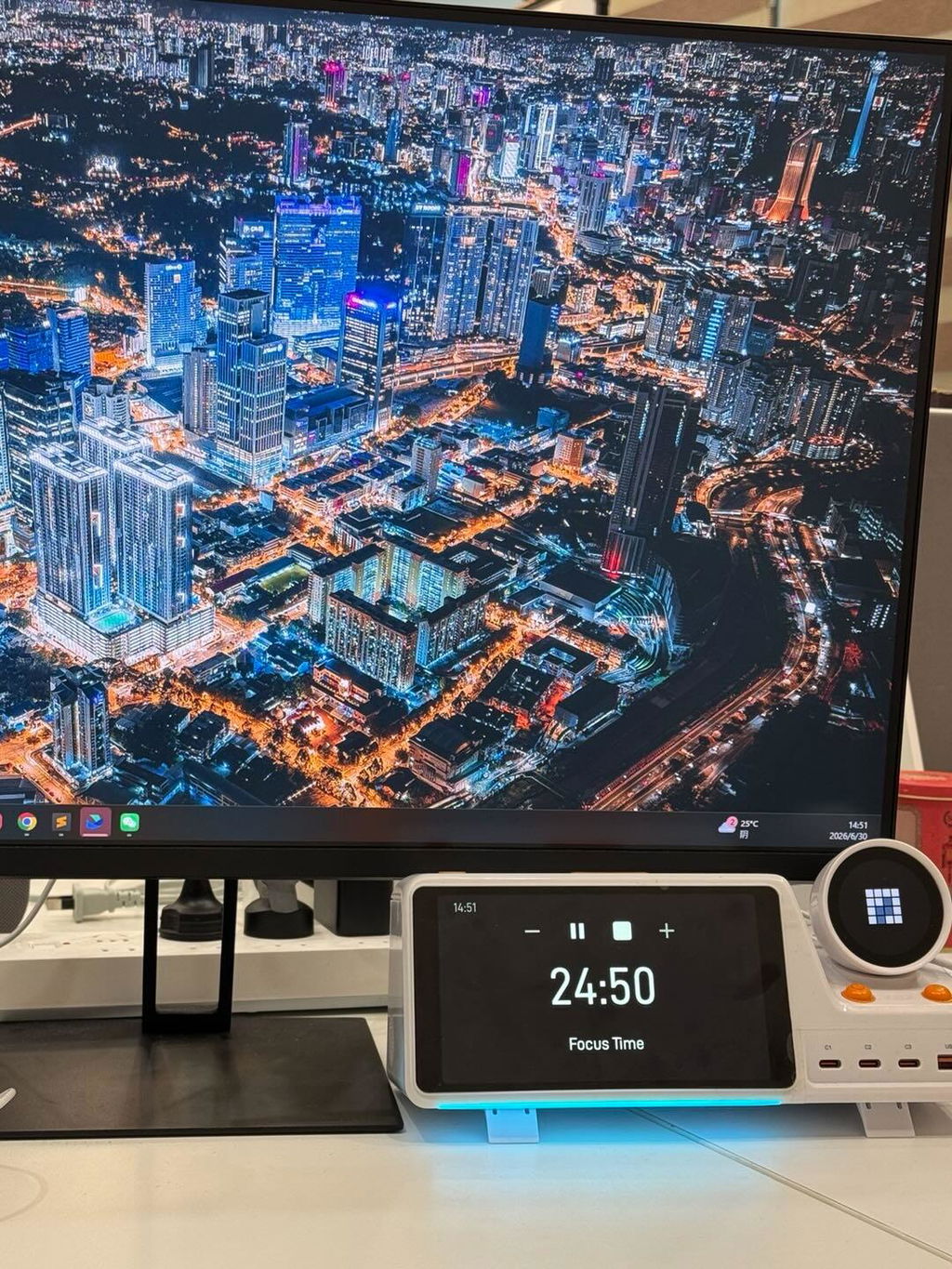
I've been using the ZIEA One for a few weeks now and it has completely transformed my desk setup. The one-tap deep focus mode is exactly what I needed — my phone stays silent and I can finally get into a real flow state. The 160W charging hub also cleared up so much cable clutter. Best productivity purchase I've made this year.
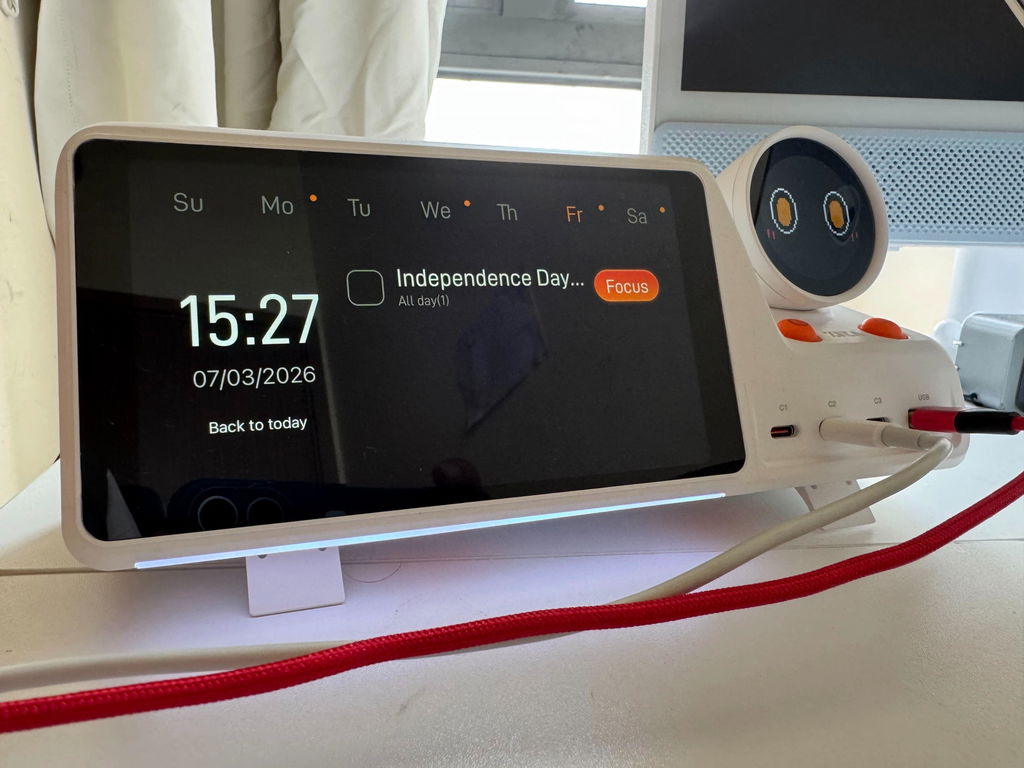
The GPT-5 powered AI planning is genuinely impressive. I just describe my goals in plain language and it breaks everything down into a scheduled, actionable plan. Syncing my Google Calendar and Apple Calendar at the same time was seamless. It's a premium price but it replaces so many other tools — totally worth it.
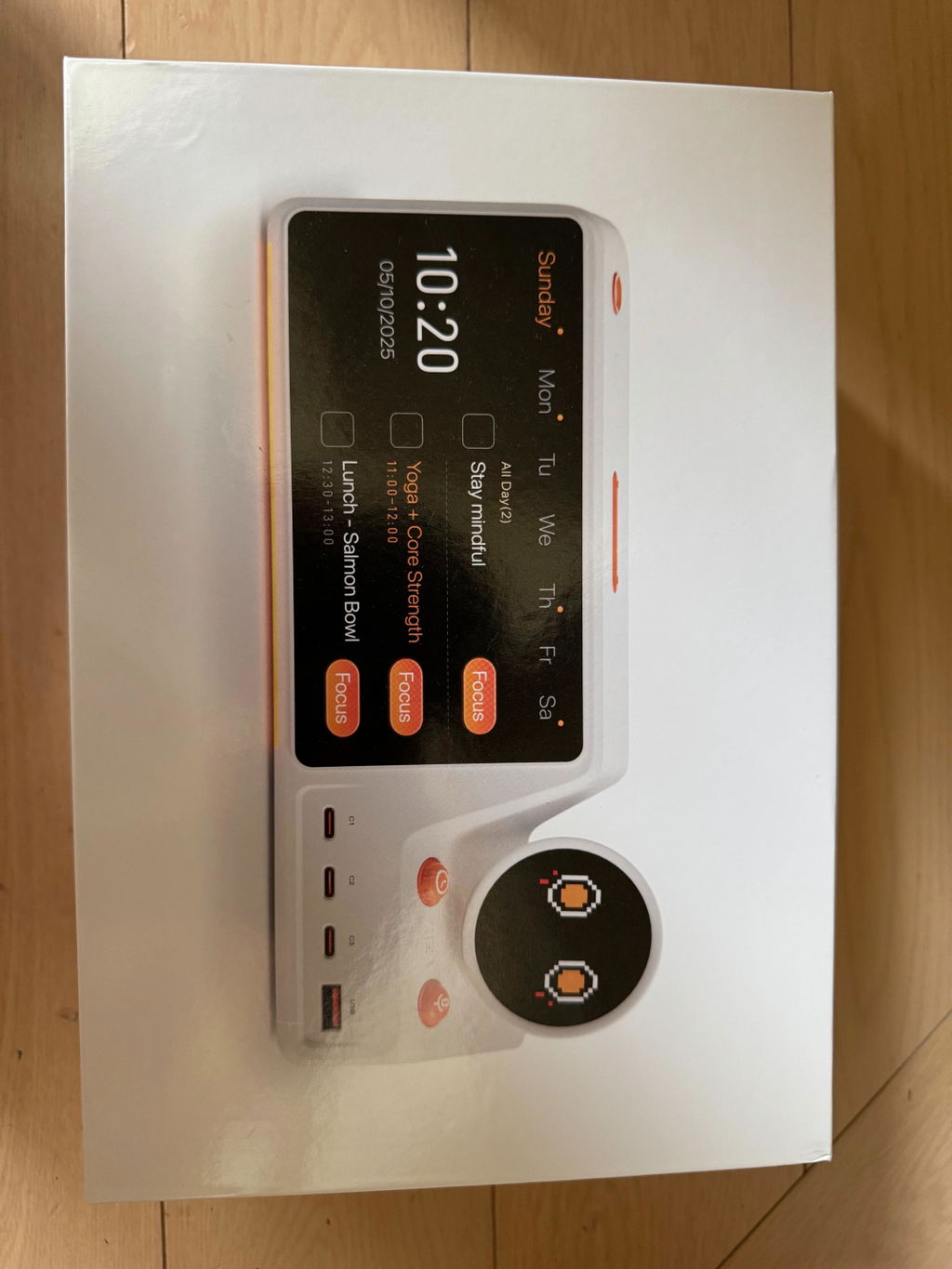
the build feels premium. no cheap plastic vibes. the screen resolution is sharp enough that i can read my schedule from across the desk. the AI weekly summary on fridays is a nice touch — it basically tells me where my time actually went.
when i'm not working the screen shows a photo slideshow. it's a small thing but it means the device doesn't feel intrusive or 'always on' in a stressful way. it just sits there looking nice until i need it.
The novelty wore off around week two, which is when you find out if a gadget is real. I'm still tapping focus, still glancing at Next 3, still charging everything through it. That's the test. Not blown away every morning — just quietly better days.
I still auto-schedule on the laptop. This is the execution surface — see the plan, start the block, charge the machine. People comparing it to software schedulers are asking the wrong question. It's hardware for the last mile of the day.
Two problems, one object. Cables gone, next task visible. I keep trying to over-explain why I like it and it's really those two sentences. If you work at a desk and live in calendars, this is the physical layer those apps never had.
'Lunch with Dana Thursday 1pm' from a couple of feet away. That's the use case. I don't do long planning conversations out loud — I do the 4-word captures I used to forget. Hit rate has been high enough that I trust it.
Ordered one for a founder friend, used it for a weekend to 'check quality', didn't send it. Ordered another. That's the most honest review I can write. Focus + charging + not looking like a toy.
Daily / Next 3 is excellent. When I need the full week I still hop to my laptop. That's not a complaint so much as the job it chose. Day-of execution is where this wins, and that's most of my problem, so it stays. Just not a 5 if you live in week view.
I bump the desk a lot. Two kilos of this thing does not wander. Silly thing to praise until you've owned a clock that slowly walks toward the edge. Materials are better than the price suggested to me.
I say 'I need four hours on the pitch this week, not after 4pm' and it places the blocks. I still move things afterward, but I'm not starting from a blank week. That's the AI feature earning its keep, not the chatbot demo.
I used to have a calendar on a monitor, a todo app, and a charging stand. Three objects, three habits. This collapsed it. I look once when I sit down and I know the next two hours. That's the review.
I'm a writer. The phone is the enemy. Focus mode + the next scene sitting on the desk as a task is the most boring productivity system I've ever stuck with, which is why it works. Charging the laptop from the same device is just civilized.
Device itself is great. Pairing and getting calendars in through the companion app took a retry on my end. After that I barely open the app. I'd just clean up the first-run. Using it daily.
Calendar, focus, charging — all 5-star. I hit the Standard realtime-voice limit on a heavy planning day and finished the rest from my phone. Pro exists for a reason. Hardware still staying on my desk; just know Standard is not unlimited voice.
Had a family calendar display. Fine for chores, useless for deep work. This is the work version of that idea — calendars plus a way to actually start the next block. I still use the other one in the kitchen. This one owns the office.
Usually products look warmer in marketing shots. This one looks like the site. Edges, coating, the way it sits — no cheap flex. For $299 I was ready to be slightly disappointed. I wasn't.
I've paid for Freedom, Forest, those 'lock your phone in a box' things. The winning move was a button on my desk that silences the phone and starts a timer I can see without looking at a phone. Stupidly obvious in hindsight.
I rotate a small album of the kids on the screen between sessions. Makes the desk feel like home instead of a cockpit. Then I go back into the day and it's a planner again. Dual-use is the reason this didn't get shoved in a cabinet.
Quiet office: voice is great. Open kitchen with a kettle: I have to get closer or repeat. Calendar, focus, charging still excellent. If you work in a loud space, add the important stuff from your phone. Not a reason to skip it, just know that going in.
I open the companion app to dump photos and that's about it after setup. Everything I care about happens on the desk. That's correct. Too many gadgets make you live in the phone app they were supposed to replace. This one doesn't.
Different take than 'it's cute' — they give you feedback that a focus block ended or a task closed without a notification sound. I keep the speaker down. The motion is the cue. Subtle, not a toy, which I was worried about from the marketing.
I kept double-booking myself because personal events lived in Apple and work in Google. Both on one panel. I caught two conflicts in the first week that I would've eaten. That's the whole value proposition for me.
If this was only a 160W 4-port hub with a nice screen I'd still consider it. The fact that the screen is my day and not a clock from Amazon is what made me stop comparing it to a generic GaN brick. Two jobs, one outlet, less mess.
Told it the exam date and the chapters I was behind on. It spread revision across the week without giving me a 6-hour block I'd never do. That's the difference between 'AI' and a useful plan. Focus timer for the actual sessions. Solid combo.
Core experience is strong. I'd like to choose what sits next to Next 3 — weather, photos, whatever — instead of living with the default arrangement. Cosmetic, not functional. Still using it every day.

